Tag: puzzle recommendations

  • Accessible Puzzle Recommendations: Games for Relaxed, Low-Pressure Play

    Accessible Puzzle Recommendations: Games for Relaxed, Low-Pressure Play

    Why accessibility matters for relaxed play

    Not every puzzle session needs to be a timed sprint. For many solvers the appeal of puzzles comes from slow, focused thinking without stress. “Accessible” puzzle games make that calmer experience easier: they offer readable interfaces, adjustable difficulty, forgiving pacing, and optional help so you can solve on your own terms. This article collects recommendations and practical tips for finding games that feel relaxing rather than taxing.

    What to look for in accessible puzzle games

    When choosing a puzzle game for relaxed play, look for features that reduce friction and let you focus on the problem instead of fighting the interface.

    Clear UI and calm visuals

    A clean layout, high-contrast text, and minimal clutter help you concentrate. Calm color palettes and subtle animations reduce stimulation and make longer sessions more pleasant.

    Adjustable difficulty and optional hints

    Games that let you change difficulty, turn off timers, or request step-by-step hints give you control over challenge and frustration. The goal is to preserve the thinking experience while avoiding dead-ends that end the session abruptly.

    Pacing and short-session support

    Look for puzzles that allow quick plays (5–15 minutes) and save progress automatically. This makes them easier to fit into routines and to return to without feeling like you must finish in one sitting.

    Alternative controls and accessibility settings

    Support for larger text, high-contrast modes, keyboard navigation, or simplified touch controls expands usability. Accessible options matter for players with motor, vision, or cognitive differences and generally make the experience more comfortable for everyone.

    Recommended accessible puzzle games (digital)

    Below are calm, approachable digital experiences that prioritize low-pressure play. I keep the descriptions intentionally short so you can scan and find what fits your mood.

    • Logic and deduction bundles — Collections of classic logic puzzles (nonograms, kakuro, slitherlink, etc.) that let you pick difficulty per puzzle and often include undo, auto-check, and hint functions. These are a good start if you like variety and control.
    • Minimal grid puzzles — Simple number or word-grid games with large cells, clear type, and option to disable timers. Ideal when you want a single focused puzzle with no sidebar distractions.
    • Calm spatial puzzles — Gentle, low-pressure titles that emphasize exploration and visual reasoning. They tend to remove time pressure and let you move at your own pace.
    • Progressive brain-teasers — Games that introduce mechanics slowly with a generous hint system. These help players learn patterns without feeling thrown into harder levels unexpectedly.
    • Browser microgames — Lightweight web-based puzzles that load instantly and often include adjustable settings for contrast or font size. These are great when you want to jump into a short, calm round without installing anything. For curated browser options, see browser-based options for low-pressure play.

    Accessible print and app-style puzzle books

    Paper puzzles remain a wonderful low-pressure option. Good puzzle books use clear fonts, generous spacing, and sections ordered by difficulty. If you prefer a mixed approach, many apps mirror book layouts and let you print puzzles at a comfortable size.

    If you want help choosing between physical books and apps—or tips on what features to prioritize—see my guide on how to choose puzzle books and apps.

    Quick picks organized by player preference

    Use these short lists as starting points. Each pick focuses on calm interaction and approachable mechanics rather than competitive scoring.

    • For readers who like clear rules: Classic logic puzzles (sudoku, kakuro, nonogram) with large grids and step hints. Look for versions that emphasize readability and offer auto-save.
    • For visual thinkers: Puzzle experiences with strong spatial feedback and no timers—these often include generous undo and reset options so you can experiment without penalty.
    • For micro-sessions: Browser mini-puzzles and daily single-problem apps that are designed for 5–10 minute plays and save progress automatically.
    • For tactile solvers: Printed puzzle books with large type, clear sectioning by difficulty, and durable paper if you like using pencil or pen.

    How to try games without getting locked in

    1. Start with the tutorial and complete the first few beginner puzzles to see whether mechanics click.
    2. Disable timers and turn off scoreboards if the game includes them. Focus on a relaxed pace before trying harder challenges.
    3. Test the hint system—good hints explain reasoning rather than just giving answers, which helps you learn and stay engaged.
    4. Check visual and control options: increase font/element size, enable high-contrast mode, or switch to keyboard navigation if available.

    Build a low-pressure habit

    Keep sessions short, consistent, and predictable. Pick a daily or every-other-day rhythm of 5–15 minutes and choose puzzles that match that time window. If a session becomes frustrating, switch to a different puzzle type or take a break—accessibility is about reducing barriers to enjoyment, not forcing progress.

    Where to go next

    If you want a compact list of well-reviewed calm puzzle picks that include several accessible options, check my broader roundup of top calm game picks. Between that and the recommendations above you should have a practical starting set: a browser microgame for quick plays, a gentle app for paced practice, and a printed book for unplugged sessions.

    Remember: the most accessible puzzle is the one you enjoy returning to. Focus on comfortable settings, clear presentation, and gentle progress. Happy solving.
  • Word Game Alternatives to Wordle: Challenging and Accessible Picks

    Word Game Alternatives to Wordle: Challenging and Accessible Picks

    Wordle’s simplicity hooked a lot of players, but the word-game space includes many other designs that change pacing, strategy, and pressure. Below are calm, approachable alternatives organized by what they change: time pressure, complexity, thinking style, and accessibility. Each entry lists the basic rules, challenge level, typical single-session time, and accessibility-friendly features to help you pick a game that fits your mood.

    Unlimited, low-pressure word puzzles

    1. Hello Wordl

    Rules: Like Wordle but you can set the word length and play as many puzzles as you want. You still get feedback on letters and placements.

    Challenge level: Easy to Medium (customizable)

    Single-session time: 2–10 minutes per puzzle

    Why it’s different: No daily limit and adjustable word length reduce pressure and let you practice patterns.

    Accessibility notes: Play anytime, unlimited retries, and the option to choose longer or shorter words helps players who want slower, more methodical solving.

    2. Absurdle

    Rules: An adversarial take on Wordle. Rather than choosing a secret word at the start, the game shifts its secret to avoid giving you information. You must force it into a single word.

    Challenge level: Hard

    Single-session time: 5–30+ minutes (depends on persistence)

    Why it’s different: Designed to resist easy deduction, Absurdle rewards long-term strategy and patience rather than quick intuition.

    Accessibility notes: No daily limit, so you can pace attempts. The layout is simple; however, it favors logical persistence over fast pattern recognition.

    Multi-word and multitask challenges

    3. Quordle / Dordle

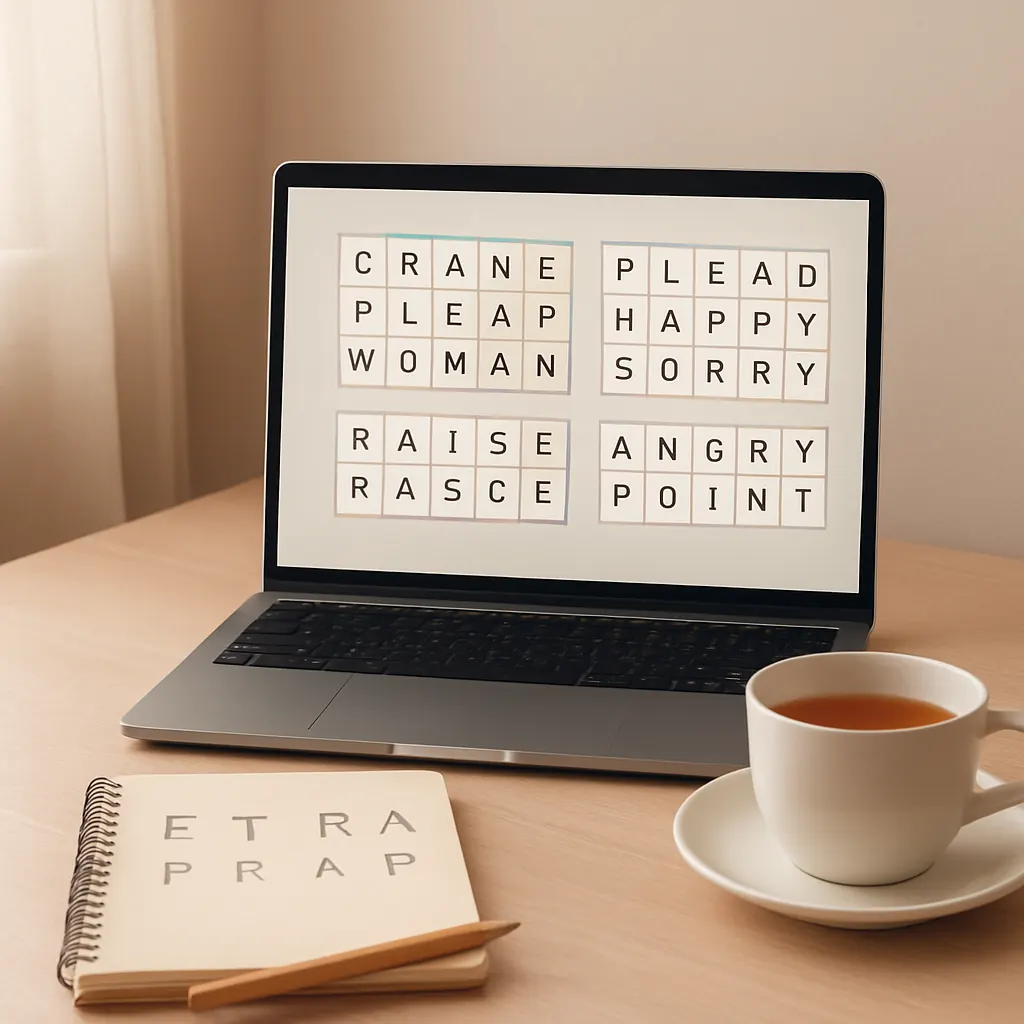
    Rules: Solve multiple Wordle-like words at once (Quordle = 4 words, Dordle = 2 words) using the same guesses across grids.

    Challenge level: Medium to Very Hard

    Single-session time: 5–25 minutes

    Why it’s different: You manage information across several targets simultaneously, which increases strategical depth and reduces reliance on single-word luck.

    Accessibility notes: Quordle and Dordle often offer practice or unlimited modes on some sites. The grids are visually similar to Wordle, so they’re familiar for screen-reader users who already use Wordle tools, but the complexity is higher.

    Puzzle formats that shift the thinking style

    4. Spelling Bee (NYT-style)

    Rules: Given seven letters with one mandatory central letter, create as many words as you can that use the center letter and only the provided letters. There’s often a “pangram” bonus for using all letters.

    Challenge level: Easy to Medium (depending on vocabulary)

    Single-session time: 5–20 minutes

    Why it’s different: Focuses on vocabulary and combinatorics rather than positional feedback. It’s relaxed and replayable.

    Accessibility notes: Many implementations include adjustable contrast, keyboard navigation, and word lists for practice. Because the pace is player-controlled, it’s good for low-pressure sessions.

    5. Typeshift

    Rules: Letter columns shift up and down; you form words by aligning letters horizontally. Puzzles can have themed solutions and clues.

    Challenge level: Medium

    Single-session time: 3–15 minutes

    Why it’s different: It’s spatial and pattern-based rather than feedback-based. Good for players who enjoy arranging pieces and exploring anagram space.

    Accessibility notes: Clear visual letters, tactile interaction on mobile, and typically no daily limit make it adaptable to different tempos.

    Crossword-adjacent and clue-based word play

    6. Crossword Mini / Simple clue puzzles

    Rules: Short crosswords or micro-crosswords focus on clues rather than feedback. Some apps offer a single five-minute puzzle each day; others have large libraries.

    Challenge level: Easy to Hard (depending on clues)

    Single-session time: 3–15 minutes

    Why it’s different: Clue-solving emphasizes definitions, wordplay, and general knowledge instead of letter-elimination mechanics.

    Accessibility notes: Many crossword apps have adjustable fonts, playback for clues, and simple interfaces for screen readers.

    Word-search and pattern puzzles for relaxed sessions

    7. Wordscapes / Word Connect

    Rules: Form words from a given set of letters to fill a crossword-style grid. Levels progress in difficulty with themed boards.

    Challenge level: Easy to Medium

    Single-session time: 2–10 minutes per level

    Why it’s different: Puzzle-by-puzzle progression with visual satisfaction from filling a grid. Less harsh on mistakes — you can backtrack and try more combinations.

    Accessibility notes: Many versions include large buttons, high-contrast modes, and optional hints that reduce pressure.

    8. Bonza Word Puzzle

    Rules: Tile-based puzzles where you rearrange word fragments to build words that match given clues. Combines crossword and jigsaw thinking.

    Challenge level: Medium

    Single-session time: 3–15 minutes

    Why it’s different: Clue-led assembly rewards lateral thinking and reduces the stress of single-answer puzzles.

    Accessibility notes: Calm UX and short levels make Bonza a good choice for relaxed play sessions.

    Choosing what fits you

    If you liked Wordle for its quick daily puzzle, try Hello Wordl or Spelling Bee for low-pressure variants. If you want more strategy and puzzle management, Quordle or Absurdle will challenge planning skills. For clue-driven play, crosswords and Bonza offer a different kind of satisfaction.

    For hands-on recommendations about device choices, pricing, and offline options, see how to choose puzzle apps. If you want browser-based options you can try immediately, check this roundup of browser-based word games. And if low pressure and clear UX are your priority, explore the curated accessible picks for relaxed play.

    Final tip: decide whether you want a daily ritual or unlimited practice. Some players enjoy a single shared puzzle per day; others prefer endless puzzles to experiment with strategies. Either choice can support a calm, enjoyable routine — pick the format that helps you keep coming back without stress.

  • Top 10 Calm Logic and Word Games (Browser & Mobile) for Focused Play

    Top 10 Calm Logic and Word Games (Browser & Mobile) for Focused Play

    Why choose calm puzzle games?

    If you like slow, focused thinking rather than frantic scoring or competitive pressure, a small collection of calm logic and word games can become a reliable way to clear your head and practice problem patterns. Below are ten picks that work well on phones or in a browser, each chosen for gentle design, clear rules, and satisfying feedback. If you prefer strictly browser-based short bursts, see best browser brain games for short sessions for more options.

    1. Sudoku (classic)

      What makes it relaxing: Clean rules, no surprise mechanics, and plenty of logical deduction rather than trial-and-error. Good visual contrast and simple grids keep the game low-friction.

      Typical session: 5–30 minutes depending on grid size and difficulty.

      Best for: Players who enjoy pure logic and steady mental rhythm. Many sites and apps offer accessible interfaces and adjustable hints.

    2. Flow Free

      What makes it relaxing: Connect-the-dot style puzzles with bright, calm colors and smooth animations. The satisfaction of linking endpoints without crossing lines is quietly satisfying.

      Typical session: 3–15 minutes per puzzle.

      Best for: People who like visual pattern-building and short, focused levels you can finish in a coffee break.

    3. Mini Metro

      What makes it relaxing: Minimalist transit planning with soft visuals and a soothing soundtrack. The game encourages small decisions that compound into tidy system design.

      Typical session: 10–30 minutes.

      Best for: Players who enjoy spatial planning, emergent systems, and low-pressure experimentation.

    4. Monument Valley

      What makes it relaxing: Calming art direction and gentle, spatial puzzles based on optical illusions. Levels feel like little meditations rather than timed challenges.

      Typical session: 10–30 minutes per chapter.

      Best for: Players who appreciate thoughtful presentation, quiet narrative, and tactile puzzle interactions.

    5. I Love Hue

      What makes it relaxing: A color-sorting puzzle that asks you to arrange tiles into smooth gradients. It’s visually soft with no timers and forgiving undo options.

      Typical session: 5–20 minutes per puzzle.

      Best for: Those who like visual puzzles and a calm, sensory experience rather than strict logical constraints.

    6. Prune

      What makes it relaxing: A meditative puzzle about growing and pruning a tree to reach light. The interface is minimalist, the sound design is subtle, and gameplay encourages patient exploration.

      Typical session: 5–20 minutes.

      Best for: Players who enjoy metaphor-driven puzzles and quiet, contemplative gameplay.

    7. Klocki

      What makes it relaxing: A minimal puzzle collection that evolves slowly, asking you to rotate and connect shapes. The restrained presentation keeps the player focused on one clear idea at a time.

      Typical session: 5–15 minutes.

      Best for: Fans of elegant, low-noise puzzle design who want progressive challenge without flashy effects.

    8. Mekorama

      What makes it relaxing: Charming diorama-style puzzles where you guide a small robot through handcrafted levels. Puzzles feel tactile and approachable, with a satisfying click-and-solve rhythm.

      Typical session: 3–15 minutes per level.

      Best for: Players who enjoy spatial reasoning with a friendly, non-threatening presentation.

    9. TypeShift (word logic)

      What makes it relaxing: A word puzzle that blends anagram and crossword thinking without aggressive scoring. Each puzzle is a neat logic box to solve at your own pace—great if you liked Wordle but want calmer, more deliberate wordplay. If you’ve been enjoying Wordle, check word-game alternatives to Wordle for more gentle word options.

      Typical session: 5–20 minutes.

      Best for: Players who enjoy wordcraft and deduction without daily pressure.

    10. Logic puzzle collections (e.g., puzzle apps or compilations)

      What makes it relaxing: Collections that include Kakuro, Nonograms, Nurikabe, and other classic logic puzzles let you pick the exact type of focus you want. Interfaces that offer adjustable hinting and accessible modes make these ideal low-pressure choices.

      Typical session: 5–45 minutes, depending on puzzle complexity.

      Best for: Players who want variety and control over difficulty and can spend longer stretches on a single satisfying puzzle.

    Choosing what to try first

    Start with the format you already enjoy. If you prefer typing and wordplay, try TypeShift or a calm word alternative from the linked roundup. If visual, try I Love Hue or Flow Free. If you want a longer, slow-build experience, Mini Metro or some logic-puzzle collections are good choices. For help deciding between apps, books, or browser options, see how to choose puzzle apps and books.

    Accessibility and low-pressure options

    Look for features like adjustable difficulty, unlimited undos, high-contrast modes, and no-timer options to keep play low-pressure. For curated picks that emphasize accessibility and calm design, see accessible puzzle recommendations.

    Final tips

    • Keep sessions short and consistent—5–20 minutes is often enough for focused practice.
    • Turn off notifications and avoid leaderboards if you want a meditative session.
    • Experiment with one new game at a time and notice which mechanics help you enter a calm problem-solving mindset.

    These ten options are a starting point—mix visual, spatial, and word puzzles to build a habit that stays enjoyable. If you want more recommendations tailored to browser play or specific session lengths, follow the browser-focused collection linked at the top.