Blog

  • Community, Competitions, and Sharing: Joining the Puzzle Scene Without Stress

    Community, Competitions, and Sharing: Joining the Puzzle Scene Without Stress

    Why join a puzzle community?

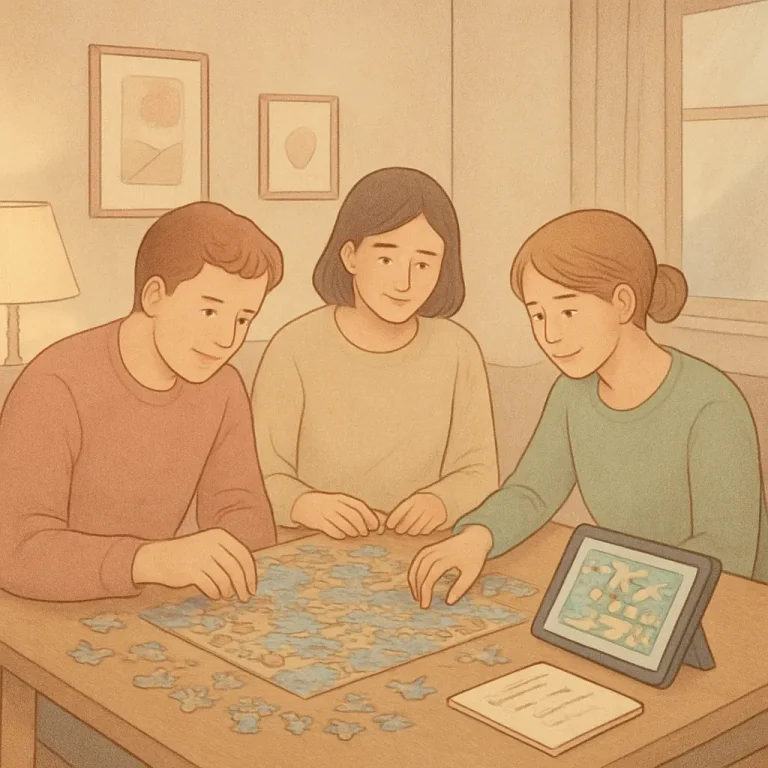
    Puzzle groups and small competitions can be a gentle way to deepen your skills, meet people who enjoy the same calm challenge, and add variety to a solo routine. But the social side can feel intimidating: leaderboards, spoilers, and fast-paced contests sometimes push a competitive tone that not everyone wants. This guide lays out practical, low-stress ways to participate, whether you prefer slow, friendly play or occasional timed events.

    Finding friendly groups and events

    Look for communities that emphasize learning and inclusion over ranking. Good places to check:

    • Small Discord servers or Slack workspaces focused on casual play.
    • Local meetups or library game nights with a relaxed atmosphere.
    • Forums and subreddit communities with clear codes of conduct.
    • Asynchronous platforms (daily puzzle threads, email rounds) that let you join on your own time.

    When you’re evaluating a group, watch for simple signals: polite moderation, pinned rules about spoilers, and people who post walkthroughs or explanations instead of only boasting about fast solves.

    How to participate without pressure

    Joining in comfortably often comes down to controlling how and how much you participate:

    1. Start as a spectator. Read chat logs or past threads to get a sense of tone before posting.
    2. Set your own goals. Decide whether you care about placement or just the practice. Focus on one personal metric (accuracy, trying a new strategy, or learning a new puzzle type) rather than others’ scores.
    3. Use asynchronous options. If live events feel stressful, pick groups that offer daily or weekly puzzles you can solve on your schedule.
    4. Take breaks and mute when needed. It’s fine to step back from an event if it’s making you anxious; most communities welcome returnees.

    Friendly etiquette for sharing and discussing solutions

    Sharing solutions and strategies is the best part of community participation — when it’s done considerately. A few practical rules keep things friendly:

    • Mark spoilers clearly. Use spoiler tags, hidden blocks, or a clear “SPOILERS AHEAD” header before any step-by-step solution.
    • Ask before giving hints. Offer graded nudges rather than full reveals: a small hint for stuck players, a fuller explanation on request.
    • Share what you learned, not just the answer. Explain a memorable shift in thinking or a pattern you noticed so readers can reproduce the insight.
    • Credit sources and collaborators. If you used a puzzle creator’s variant or adapted a technique, mention it.
    • Use a growth mindset language. Focus on “I tried X and it helped” instead of “You should do X.” This reduces pressure and keeps feedback optional.

    If you want to show how your approach changes over weeks, consider keeping a private or public log and sharing selective entries with mentors or fellow players; a simple habit is to use a puzzle journal to record what you tried and what clicked.

    Low-pressure competition formats that work well

    Not every contest needs leaderboards and strict timing. Here are formats that keep pressure low while still offering the thrill of shared solving:

    • Casual rounds: Short sets (3–5 puzzles) with relaxed time limits and a post-round discussion. Score only if you want to track progress.
    • Buddy tournaments: Pair players of similar experience so the focus is cooperative rather than strictly competitive.
    • Practice heats: Run an unranked practice session before any official timed round so members can warm up together.
    • Asynchronous ladders: Players submit times within a 24–72 hour window; this removes live pressure and allows for thoughtful solves.
    • Theme nights: Events centered on one puzzle type (logic grids, kata-style, or word puzzles) where everyone explores the same patterns together.

    Simple rules to keep tournaments friendly

    • Clear spoiler policy and fixed delay before posting full solutions.
    • Optional anonymity for results to reduce social comparison.
    • Encourage a short reflection post from each player: one thing learned, one question.
    • Separate competitive and social channels—one for scores and another for chat and hints.

    Using communities to learn, not to compare

    Communities can accelerate learning if you treat them as classrooms, not scoreboard displays. Practical ways to keep the focus on growth:

    • Pick a small skill to practice each month (deductive elimination, pattern spotting, or speed on a subset of puzzles) and ask for targeted feedback.
    • Ask for worked examples. Request that a solver explain the crucial step rather than just the full solution; this highlights technique over outcome.
    • Celebrate different goals. Some members seek relaxation, others fast solves. A healthy community recognizes both.

    Looking for games suited to casual group play? Try my game recommendations to try with others — they tend to scale well for small groups or daily shared solves. If you prefer word puzzles, communities often play cooperative word rounds; see a few word-game alternatives that are friendlier for group play.

    Hosting your own low-stress event

    If you want to start something small, here’s a simple checklist:

    1. Choose a short puzzle set (3–6 items) with mixed difficulty.
    2. Set expectations: time window, spoiler rules, and tone (casual, learn-focused).
    3. Offer a quick demo round or sample solution so newcomers know how discussion works.
    4. Close with a 10–15 minute debrief where people share one technique they found useful.

    Keeping events brief and predictable removes many sources of stress and makes it easier for people to attend regularly.

    Final notes: boundaries, kindness, and curiosity

    Communities are strongest when members respect boundaries and model curiosity. If something feels competitive in a way you don’t enjoy, speak with a moderator or look for unranked options. Be generous with hints, modest about answers, and curious about how others think — those habits tend to make puzzle spaces calmer and more welcoming.

    Joining the puzzle scene doesn’t require a trophy case. With clear etiquette, thoughtful formats, and a focus on learning, you can enjoy community puzzles and competitions at a pace that suits you.

  • Recording and Reflecting: A Simple Puzzle Journal Template for Players

    Recording and Reflecting: A Simple Puzzle Journal Template for Players

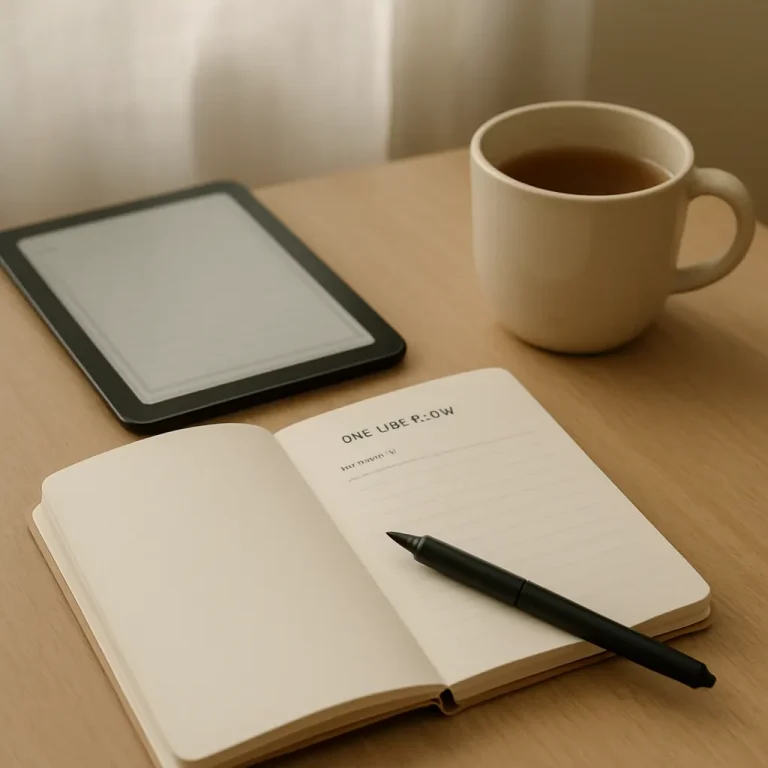
    Keeping a small, focused journal is one of the easiest ways to turn casual puzzle play into steady improvement. This post gives a compact, printable/digital puzzle journal template you can start using today, plus examples and tips for making entries in under two minutes.

    Why a puzzle journal helps

    A short, structured entry forces you to notice patterns that are easy to miss while solving: recurring mistakes, strategies that work, and how long different puzzle types take. Journaling also makes your progress visible, which is motivating and helps you pick better resources over time.

    How to use the template

    Use the template after a single puzzle or a short session (10–60 minutes). If you prefer a daily habit, add a single summary line per day. Keep entries brief—one sentence or short bullet per field is enough. Integrate the journal with your existing routine (morning coffee, post-solve cooldown, or a short review at the end of a session) and it will stick. For routine ideas, try adding the journal to your daily practice routines.

    A compact puzzle journal template (printable / digital)

    Below is a one-row template you can copy into a spreadsheet, note app, or print as a small card. Each field is followed by a one-line explanation.

    • Date — YYYY-MM-DD
    • Puzzle type — e.g., Crossword, Sudoku, Logic grid, Word puzzle
    • Source — book/app/site (track what works: see choosing puzzle resources)
    • Time spent — minutes (or “30-60” for sessions)
    • Result — Solved / Partial / Gave up
    • What worked (strategy) — quick note: e.g., “fill easy rows first,” “mark candidates,” “scan for theme”
    • Mistake / obstacle — brief: “misread clue,” “logic assumption,” “forgot to check X”
    • One improvement goal — focused, action-oriented next step: e.g., “slow down on clue parsing,” “use pencil marks consistently”
    • Tags / difficulty — optional: tags like #pattern, #timed, difficulty: Easy/Med/Hard

    Printable card version

    Format the template as a 3″x5″ card with each field on one line. Keep a stack of blank cards, and drop a completed card in a box. Review the box weekly.

    Digital version

    Use a simple spreadsheet or a note template. Columns match the template fields; add filters for puzzle type and tags. The digital approach makes it easy to count totals (e.g., time per week) or sort mistakes by type.

    Weekly mini-review (3–5 minutes)

    Once a week, scan your entries and look for one pattern: a repeated mistake, a strategy that reliably helps, or a source that consistently provides enjoyable challenges. Pick one improvement goal for the coming week and write it at the top of your next entries.

    Three example entries

    • Date: 2026-03-10 — Puzzle: Crossword — Source: Local paper — Time: 25 min — Result: Partial

      What worked: Fill short, certain answers first.

      Mistake: Misread a punny clue; assumed literal meaning.

      Improvement: Re-read clues after a pass; look for wordplay markers.

      Tags: #wordplay #paper — Difficulty: Medium
    • Date: 2026-03-12 — Puzzle: Sudoku — Source: App — Time: 15 min — Result: Solved

      What worked: Pencil marks for one-digit candidates.

      Mistake: Wasted time checking same row twice.

      Improvement: Use systematic scan order (rows left-to-right, then columns).

      Tags: #number — Difficulty: Easy
    • Date: 2026-03-14 — Puzzle: Logic grid — Source: Puzzle book — Time: 48 min — Result: Solved

      What worked: Diagrammed relationships immediately.

      Mistake: Assumed two options were exclusive when they were not.

      Improvement: Review each clue carefully for “at least/at most” wording.

      Tags: #logic #book — Difficulty: Hard

    Small habits that make journaling painless

    • Keep it short: The journal is a prompt, not an essay. One or two short phrases per field are enough.
    • Use checkboxes: For a daily card, add a small completion checkbox so you get the satisfaction of marking it done.
    • Pair with a routine: Do the journal while your tea cools or during a five-minute stretch after solving.
    • Aggregate monthly: Move completed entries into a monthly summary that lists top mistakes and most useful strategies.
    • Share selectively: If you enjoy low-pressure feedback, bring journal highlights to a small group — it can focus conversations and show progress. Try sharing insights when joining puzzle communities.

    Choosing physical or digital — quick pros and cons

    • Paper: Pros: tactile, quick, no screen. Cons: harder to aggregate or filter.
    • Digital: Pros: searchable, sortable, easy to back up. Cons: requires a device and small setup time.

    Next steps

    Start with one card or one spreadsheet row today. After two weeks you’ll have notes that make patterns visible and help you pick better materials — whether that’s a new app, a book, or a daily streak. If you’re tracking which books or apps work best for different goals, the journal will make that choice clearer: try the template for a month and compare sources in your weekly reviews (see choosing puzzle resources).

    Want a ready-to-print card or a spreadsheet starter? Save this page and copy the template into your notes app. Keep entries small, stay consistent, and use short weekly reviews to build clear, low-pressure progress.

  • How to Choose Puzzle Books and Apps: A Practical Buying Guide

    How to Choose Puzzle Books and Apps: A Practical Buying Guide

    Buying puzzle books or apps can feel overwhelming: there are different formats, price models, and difficulty labels that don’t always match what you enjoy. This short guide walks through a simple decision flow — goal, platform, difficulty, accessibility, and value — so you can make choices that support steady, low-pressure puzzling.

    Start with your goal

    Before you compare titles or tap “buy,” ask yourself what you want from puzzling. Common goals and how they change the purchase decision:

    • Relaxed daily practice: Choose short puzzles or apps with daily bite-sized packs and gentle progression.
    • Skill improvement: Look for graded collections or apps with adjustable difficulty and explanations.
    • Variety and discovery: Prefer anthologies or apps that bundle many puzzle types so you can explore without extra cost.
    • Collectible or coffee-table books: Choose high-quality printed books with attractive layouts and answers.

    Decide on platform: paper, app, or browser

    Platform affects convenience and long-term cost.

    • Paper books: Great for focus, annotation, and no battery. They’re a good choice if you like printing, flipping back, or sharing puzzles.
    • Apps: Offer portability, adjustable difficulty, hints, and progress tracking. Look for offline support if you travel.
    • Browser play: Ideal if you prefer no-install, free previews, or want to try many types before buying an app or book — see curated browser game options.

    Evaluate difficulty and learning curve

    Difficulty labels aren’t standardized. Use these checks:

    • Does the book/app show sample puzzles or let you try a few for free? That’s the fastest way to judge fit.
    • For books, preview a page (if buying online) or scan a store copy to see the layout and complexity.
    • For apps, check whether difficulty is adjustable and whether there’s a way to skip or restart puzzles without penalty.

    Check accessibility and comfort features

    Small design choices make a big difference for comfortable, regular play:

    • Text size, font choices, and high-contrast modes for reading ease.
    • Color-blind friendly design in apps (patterns, shapes, or labels in addition to color).
    • Undo, erase, and clear visual feedback in digital versions; perforated or answer keys placed after a section in books if you prefer not to spoil future puzzles.
    • Export, print, or copy features if you like to solve on paper from a digital puzzle.

    Assess value and pricing model

    Think beyond the upfront price. Common models and how to compare value:

    • One-time purchases: Books and paid apps often charge once. Consider pages or puzzle count for books, and whether the app offers permanent access to purchased packs.
    • Subscriptions: Good for variety and regular updates. Check whether content is exclusive behind the subscription and whether the app encourages daily use to justify the cost.
    • In-app purchases: These let you sample for free and buy packs. Make sure the base app gives enough to try before investing.
    • Free with ads: Fine for casual use; check whether ads interrupt flow or whether a small ad-free upgrade is available.

    App and book features to look for

    When comparing options, use this quick checklist:

    • For apps: offline mode, adjustable difficulty, reliable save/sync, clear hint policy, downloadable packs, accessibility settings, and a sensible UI that doesn’t penalize experimentation.
    • For books: consistent difficulty labeling, answers organized to avoid spoilers, page layout that fits one puzzle per page for easy screenshots, and durable binding if you plan frequent use.

    Try before committing

    Where possible, try sample puzzles. Many apps and publishers provide free samples or trial periods. You can also use short free trials or browser versions to check that the style and challenge match your expectations — and for concrete examples to try your buying checklist, try the sample games to try first.

    Sample purchases by budget and player type

    These are illustrative buying paths rather than endorsements of specific products.

    • Low budget / casual: A paperback anthology from a reputable publisher or a free app with optional small puzzle packs. Look for books that bundle many short puzzles or apps that let you play a handful daily without subscription.
    • Mid budget / steady player: A well-reviewed book (themed collection or graded series) plus a single paid app or a few app packs that cover the puzzle types you enjoy. Consider one app with adjustable difficulty and offline play.
    • Higher budget / committed practice: A subscription that offers varied daily puzzles plus a curated physical book or workbook for deeper study. If improving skill is your goal, choose tools that track progress and offer explanations.

    Keep track and iterate

    After you buy, give the resource a few weeks and then check whether it meets your goal. If you like tracking progress, try keeping a small log — note which purchases delivered the most value, which puzzles helped you learn, and what you want next. If you need a template to start a simple tracker, see the puzzle journal idea.

    Final quick checklist

    1. Define your goal (relax, improve, explore).
    2. Pick platform based on convenience and devices.
    3. Sample puzzles to check difficulty and style.
    4. Confirm accessibility, offline use, and save options.
    5. Compare pricing models and long-term value.

    With that flow you can shop calmly: choose the format that fits your life, try before you buy when possible, and favor clear, adjustable tools that invite regular practice. If you want quick suggestions to try right away, use the sample games link above and treat purchases as experiments rather than commitments.

  • Accessible Puzzle Recommendations: Games for Relaxed, Low-Pressure Play

    Accessible Puzzle Recommendations: Games for Relaxed, Low-Pressure Play

    Why accessibility matters for relaxed play

    Not every puzzle session needs to be a timed sprint. For many solvers the appeal of puzzles comes from slow, focused thinking without stress. “Accessible” puzzle games make that calmer experience easier: they offer readable interfaces, adjustable difficulty, forgiving pacing, and optional help so you can solve on your own terms. This article collects recommendations and practical tips for finding games that feel relaxing rather than taxing.

    What to look for in accessible puzzle games

    When choosing a puzzle game for relaxed play, look for features that reduce friction and let you focus on the problem instead of fighting the interface.

    Clear UI and calm visuals

    A clean layout, high-contrast text, and minimal clutter help you concentrate. Calm color palettes and subtle animations reduce stimulation and make longer sessions more pleasant.

    Adjustable difficulty and optional hints

    Games that let you change difficulty, turn off timers, or request step-by-step hints give you control over challenge and frustration. The goal is to preserve the thinking experience while avoiding dead-ends that end the session abruptly.

    Pacing and short-session support

    Look for puzzles that allow quick plays (5–15 minutes) and save progress automatically. This makes them easier to fit into routines and to return to without feeling like you must finish in one sitting.

    Alternative controls and accessibility settings

    Support for larger text, high-contrast modes, keyboard navigation, or simplified touch controls expands usability. Accessible options matter for players with motor, vision, or cognitive differences and generally make the experience more comfortable for everyone.

    Recommended accessible puzzle games (digital)

    Below are calm, approachable digital experiences that prioritize low-pressure play. I keep the descriptions intentionally short so you can scan and find what fits your mood.

    • Logic and deduction bundles — Collections of classic logic puzzles (nonograms, kakuro, slitherlink, etc.) that let you pick difficulty per puzzle and often include undo, auto-check, and hint functions. These are a good start if you like variety and control.
    • Minimal grid puzzles — Simple number or word-grid games with large cells, clear type, and option to disable timers. Ideal when you want a single focused puzzle with no sidebar distractions.
    • Calm spatial puzzles — Gentle, low-pressure titles that emphasize exploration and visual reasoning. They tend to remove time pressure and let you move at your own pace.
    • Progressive brain-teasers — Games that introduce mechanics slowly with a generous hint system. These help players learn patterns without feeling thrown into harder levels unexpectedly.
    • Browser microgames — Lightweight web-based puzzles that load instantly and often include adjustable settings for contrast or font size. These are great when you want to jump into a short, calm round without installing anything. For curated browser options, see browser-based options for low-pressure play.

    Accessible print and app-style puzzle books

    Paper puzzles remain a wonderful low-pressure option. Good puzzle books use clear fonts, generous spacing, and sections ordered by difficulty. If you prefer a mixed approach, many apps mirror book layouts and let you print puzzles at a comfortable size.

    If you want help choosing between physical books and apps—or tips on what features to prioritize—see my guide on how to choose puzzle books and apps.

    Quick picks organized by player preference

    Use these short lists as starting points. Each pick focuses on calm interaction and approachable mechanics rather than competitive scoring.

    • For readers who like clear rules: Classic logic puzzles (sudoku, kakuro, nonogram) with large grids and step hints. Look for versions that emphasize readability and offer auto-save.
    • For visual thinkers: Puzzle experiences with strong spatial feedback and no timers—these often include generous undo and reset options so you can experiment without penalty.
    • For micro-sessions: Browser mini-puzzles and daily single-problem apps that are designed for 5–10 minute plays and save progress automatically.
    • For tactile solvers: Printed puzzle books with large type, clear sectioning by difficulty, and durable paper if you like using pencil or pen.

    How to try games without getting locked in

    1. Start with the tutorial and complete the first few beginner puzzles to see whether mechanics click.
    2. Disable timers and turn off scoreboards if the game includes them. Focus on a relaxed pace before trying harder challenges.
    3. Test the hint system—good hints explain reasoning rather than just giving answers, which helps you learn and stay engaged.
    4. Check visual and control options: increase font/element size, enable high-contrast mode, or switch to keyboard navigation if available.

    Build a low-pressure habit

    Keep sessions short, consistent, and predictable. Pick a daily or every-other-day rhythm of 5–15 minutes and choose puzzles that match that time window. If a session becomes frustrating, switch to a different puzzle type or take a break—accessibility is about reducing barriers to enjoyment, not forcing progress.

    Where to go next

    If you want a compact list of well-reviewed calm puzzle picks that include several accessible options, check my broader roundup of top calm game picks. Between that and the recommendations above you should have a practical starting set: a browser microgame for quick plays, a gentle app for paced practice, and a printed book for unplugged sessions.

    Remember: the most accessible puzzle is the one you enjoy returning to. Focus on comfortable settings, clear presentation, and gentle progress. Happy solving.

  • Pattern Recognition Techniques Every Puzzle Solver Should Know

    Pattern Recognition Techniques Every Puzzle Solver Should Know

    Pattern recognition is the quiet muscle behind faster, more confident puzzle solving. Whether you prefer word ladders, logic grids, nonograms, or browser-based brainteasers, the same small set of visual and logical habits will pay dividends. This article lays out core techniques you can apply immediately, with short drills to build them into your solving routine.

    Why pattern recognition matters

    At its simplest, pattern recognition turns clutter into a few reliable cues. Instead of trying every possibility, you learn to notice repeating shapes, forced placements, symmetry, and contradictions. Those cues reduce the search space, reveal leverage points, and let you plan two or three moves ahead without exhaustive trial and error.

    Key techniques and how to practice them

    1. Symmetry spotting

    Many puzzles either include explicit symmetry (a grid that’s mirrored) or implicit symmetry created by identical constraints. Symmetry often means that a finding on one side transfers to the other, or that a single ambiguity will resolve symmetrically.

    • How to use it: Before you make a move, scan for mirrored regions or repeating rows/columns. Ask: if I place X here, does an equivalent placement exist elsewhere?
    • Quick drill: Take small 10×10 nonograms or picture logic puzzles and cover the right half. Solve the left half first, then uncover the right and compare. Practice predicting placements based on mirrored clues. This builds an instinct for when symmetry will carry through.

    2. Forced-move detection

    A forced move is a placement or elimination that follows from the rules with no alternative. Recognizing forced moves early prevents wasted guessing and creates chains that simplify the puzzle.

    • How to use it: Look for cells or options that would violate a rule if left open. In a word puzzle, a letter that would block all possible words is forced; in a logic grid, a relationship that removes every alternative is forced.
    • Quick drill: Pick five logic-grid-style clues and try to find every deduction that’s absolutely forced before you make any tentative assumptions. A good use-case for this technique is in logic grid deduction patterns, where forced assignments cascade rapidly.

    3. Constraint propagation

    Constraint propagation is the practice of tracking how one placement narrows possibilities elsewhere and applying those restrictions repeatedly until nothing new appears. It turns local observations into global progress.

    • How to use it: After making a placement, update related rows, columns, or variables immediately. Re-evaluate constraints until the puzzle reaches a steady state.
    • Quick drill: On a medium nonogram (or a similar grid puzzle), place one obvious block and then list every cell whose state must change as a result. Repeat until no cells change. For a step-by-step approach, see nonogram solving steps.

    4. Chunking and template matching

    Chunking is recognizing common subpatterns—short sequences of filled and empty cells, typical letter clusters, or recurring shape motifs. Template matching is comparing the local area to a known pattern and applying the known consequences.

    • How to use it: Build a mental library of small patterns (e.g., a 3-cell run with two definite fills and one uncertain cell) and the consequences they imply. When you see that shape, apply the learned result instead of re-deriving it.
    • Quick drill: Save a screenshot of five small patterns you encounter in puzzles and write the rule that made each decisive. Review the list weekly to make those templates second nature.

    5. Edge and boundary reasoning

    Edges are powerful because they have fewer neighbors. Many puzzles force specific behavior at borders—filled runs must start or end near an edge, or certain letters must appear in corner positions of a grid.

    • How to use it: Check edges early. If a row or column has narrow space, start there; those constraints often yield clean starting placements.
    • Quick drill: In any grid puzzle, begin your solve by inspecting every border row and column and listing the immediate deductions you can make. Doing this for ten puzzles will show how often the edge contains the first useful move.

    Combining techniques: short workflow

    1. Scan for symmetry and repeating structures.
    2. Mark immediate forced moves (including edge consequences).
    3. Propagate constraints from every new placement until stable.
    4. Look for familiar chunks or templates to speed repetitive work.
    5. If progress stalls, re-scan for less obvious symmetries or chain reactions.

    This lightweight workflow is useful across many puzzle types. For example, nonograms reward early edge reasoning and constraint propagation; logic grids reward forced-move detection and template use for common deduction forms.

    Micro-practice plan (10 minutes a day)

    Consistency beats intensity. A short, focused daily routine will internalize these techniques far faster than infrequent marathon sessions.

    1. Minute 0–1: Quick scan. Open any puzzle and identify one symmetry, edge constraint, or obvious forced move.
    2. Minute 1–6: Focused work. Apply constraint propagation from that observation until you reach a natural pause.
    3. Minute 6–9: Template check. Ask whether any local shapes match templates you know. If none, note one new pattern to remember.
    4. Minute 9–10: Reflect. Jot a one-line note: what pattern helped, and what you’ll practice next time. A routine like this slots easily into a broader habit plan such as daily practice routines.

    Final tips for durable pattern sense

    • Keep a short pattern log. Over time you’ll notice which templates recur in your favorite puzzle types.
    • Use screenshots. Visual memory for small shapes is stronger when paired with an image you can review.
    • Mix puzzle types. Transferring a pattern from one genre (say, nonograms) to another (like certain grid logic puzzles) sharpens abstraction skills and prevents overfitting to one format.

    Pattern recognition is less about raw talent and more about deliberate exposure and repetition. Use the drills above, follow the short workflow, and you’ll find puzzles that used to feel slow become strikingly transparent. If you enjoy deduction-heavy puzzles, you may also like exploring specific deduction strategies in logic grid deduction patterns and step-by-step visual techniques in nonogram solving steps.

  • Mastering Logic Grid Puzzles (Zebra Puzzles): Deduction Patterns Explained

    Mastering Logic Grid Puzzles (Zebra Puzzles): Deduction Patterns Explained

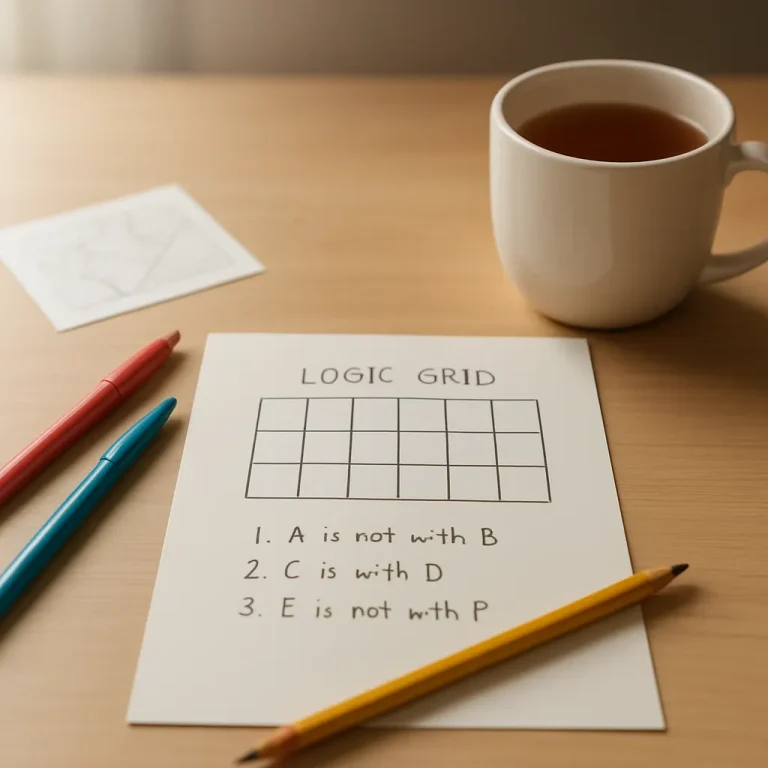
    Logic grid puzzles (often called zebra puzzles) reward careful observation and a structured approach. This guide breaks down the deduction patterns that repeat across puzzles, shows short worked examples you can reproduce on paper or on-screen, and gives practice suggestions to help you improve. If you are new to logic grids, you may also find value in the beginner’s guide to logic games for context on where grid puzzles fit among other puzzle types.

    Core deduction patterns

    Most logic-grid solving comes down to applying a few reliable patterns. Learn to spot and apply them quickly and you reduce trial-and-error and increase steady progress.

    1. Exclusive assignment (one-to-one mapping)

    When a category is known to be one-to-one (each person has exactly one item from the category), marking a confirmed pairing removes that item from all other rows. Practically this is the first filter you apply after writing the clue list and drawing a grid.

    • Mark positive links (A = X) clearly.
    • Place a negative mark for all other relationships in that row and column (A ≠ Y, A ≠ Z).

    2. Simple elimination (direct negation)

    Direct negation is the easiest deduction: a clue tells you that two items are not linked. Use that to remove options and sometimes trigger exclusives when only one choice remains.

    3. Elimination chains (if-then sequences)

    Many puzzles depend on conditional chains: if A had X then B could not have Y, so that forces C to have Z, which contradicts another clue. Tracing these short chains—often two or three steps—lets you conclude the opposite of the initial assumption without a full hypothetical trial.

    Practice spotting short implications in the text: words like “if”, “then”, “so”, or constructions such as “the one who…” often hide elimination chains.

    4. Multi-cue linking (bridging categories)

    When two clues connect different category pairs, you can link them to deduce a third relationship. For example, a clue that links Person to Color and a separate clue linking Color to Hobby lets you link Person to Hobby by transitive deduction.

    This is the pattern behind much of the grid’s momentum: connecting two known links creates new possibilities and eliminates others.

    5. Table technique (systematic cross-checks)

    Use the grid as a logic table: every time you mark a positive or negative, scan the intersecting rows and columns for implied moves. The table technique is simply disciplined scanning—check for singles, locked pairs, and forced placements after each mark.

    Worked example: 3×3 mini grid

    Try this short demonstration on a small grid. Categories: Person (Alice, Ben, Cara), Drink (Tea, Coffee, Milk), Pet (Cat, Dog, Bird).

    Clues:

    1. Alice does not drink coffee.
    2. The person with the cat drinks tea.
    3. Ben has the dog.

    Step-by-step deductions:

    1. From clue 3 mark Ben = Dog. Because assignments are exclusive, Ben ≠ Cat and Ben ≠ Bird; also Dog ≠ Alice and Dog ≠ Cara.
    2. From clue 2 mark (Cat & Tea) as a pair: whoever has the cat drinks tea.
    3. Since Ben has the dog, Ben cannot have the cat, so Ben cannot drink tea. That removes Tea as Ben’s drink.
    4. Clue 1 says Alice ≠ Coffee. If Ben ≠ Tea and Alice ≠ Coffee, only two drinks remain to place. Use exclusives: if someone must have Milk, scan remaining possibilities. Often this immediate elimination reveals a single remaining drink for a person and the rest fall into place.

    In a real grid you would mark these as X (no) and O (yes) or similar. The important move was linking the Ben=Dog assignment to the Cat-Tea pair to eliminate options—an example of multi-cue linking plus exclusive assignment.

    Identifying useful heuristics while you solve

    • Scan for singles: After every mark, look for rows or columns with only one remaining possible option.
    • Note locked pairs: If in a category two items can only belong to two people, you can lock those out for the other rows.
    • Short chain practice: Focus on one-step and two-step conditional chains first; longer hypotheticals are useful but more time-consuming.
    • Use elimination, not guesswork: Before making a hypothesis, see if an elimination chain can resolve it; only use hypotheses when the puzzle stalls.

    Practice grids and deliberate practice

    Gradually increase grid size as your pattern recognition improves. Start with 3×3 and 4×4 puzzles that emphasize straightforward exclusives and clear transitive links. When you face a harder puzzle, break it into local mini-grids that you can solve independently before integrating answers.

    Keep a simple practice plan:

    1. Daily short session: 10–20 minutes on a small grid focusing on elimination chains.
    2. Weekly challenge: one larger puzzle where you document your reasoning steps.
    3. Review common mistakes and note recurring deduction types in a puzzle journal.

    Recording deductions helps you spot patterns you repeatedly miss and accelerates the move from slow, deliberate solving to a more fluid style.

    Where to go next

    Once you have the core patterns down, practice spotting them faster and introducing higher-level heuristics such as pattern templates and meta-patterns. If you want to study shared problem structures and heuristics that speed up solving across puzzles, see this piece on pattern recognition techniques.

    Logic grid puzzles reward patience and a tidy notation system. With daily habits, short elimination-chain drills, and a compact journal of recurring moves, you’ll steadily improve your speed and accuracy without rush. Try the mini-grid above, then move up in size, and keep your grid neat—clear notation makes pattern detection far easier.

  • Solving Nonograms (Picross) — Step-by-Step Strategy for Beginners

    Solving Nonograms (Picross) — Step-by-Step Strategy for Beginners

    What a nonogram is — quick refresher

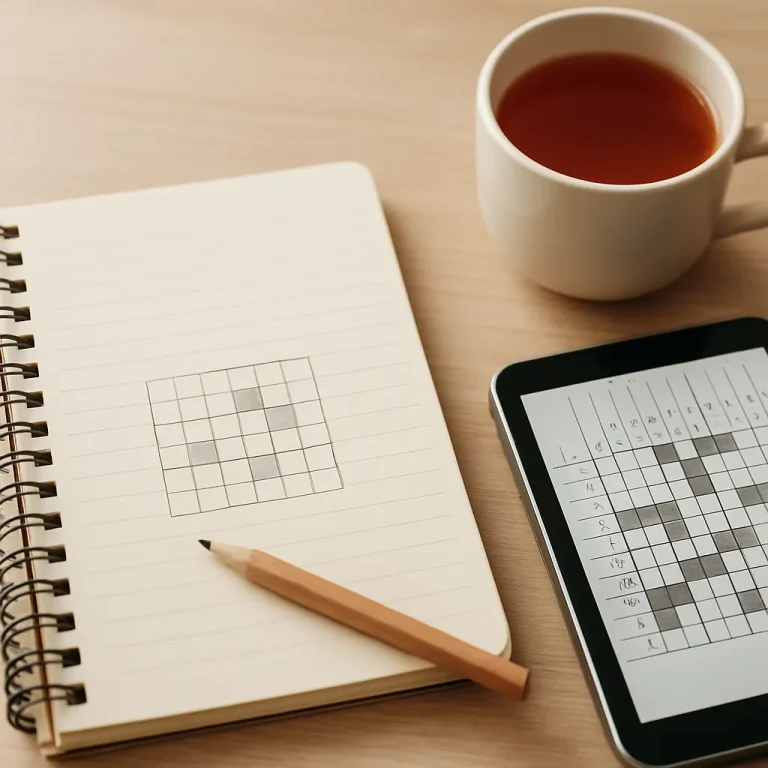
    Nonograms (also called Picross or Griddlers) are logic puzzles where each row and column has number clues that describe runs of filled cells. Your goal is to fill cells so every clue matches the blocks of filled squares in that line, with at least one empty cell separating blocks. A small set of simple rules plus consistent methods make these puzzles approachable and calm to solve.

    Tools and marks to use

    • Filled mark — a solid square or shaded cell to show a definite fill.
    • Empty mark — an X or light dot for cells you know must be blank.
    • Number tracking — cross off a clue when you’ve satisfied that run so you know what remains.

    Step-by-step solving method

    Think of nonogram solving as repeating a small set of reliable steps until the grid is complete. Move calmly and check each row and column as new information appears.

    1. Step 1 — Fill immediate certainties

      Look for rows or columns with a single clue equal to the entire length (e.g., “5” in a 5-cell row) or a clue of zero. Fill every cell when the clue fills the entire line, and mark all cells empty when a clue is zero.

    2. Step 2 — Use overlaps (the classic first move)

      When a run is longer than half the line, there are guaranteed overlapping cells. For example, in a 10-cell line with a clue of 7, the run can start as early as cell 1 and as late as cell 4. The overlap (cells 4–7) are therefore guaranteed filled. Mark those, then mark empties at the extremes where a run cannot reach.

    3. Step 3 — Cross-intersect rows and columns

      After filling or marking empties in one direction, check intersecting lines. A filled cell in a row reduces possibilities in its column and vice versa. Use this intersection repeatedly — it’s the engine of most solutions.

    4. Step 4 — Place forced gaps

      Once part of a run is located, you often know that the cell next to it must be empty, because runs require separation. Place an X immediately after a confirmed block when necessary to prevent runs from merging incorrectly.

    5. Step 5 — Use small-clue deductions

      Short clues like 1 or 2 can create predictable patterns: isolated clues of 1 often go between empties, and a separated pair like “2, 1” in a tight space can force placement. Think locally and test whether a tentative placement creates a contradiction in the intersecting line.

    6. Step 6 — Iterate and re-evaluate

      After each change, re-scan the grid. New fills and empties often unlock further definite moves. Avoid guesses; prefer deductions that follow directly from the clues and marks.

    Short example — a 5×5 walkthrough

    Suppose a 5×5 puzzle has a top row clue of “3” and the grid is empty. A run of 3 in 5 cells can be positioned starting at cell 1, 2, or 3. The guaranteed overlap is cells 2–4, so shade them. Now check the corresponding columns — those filled cells reduce possibilities elsewhere and may create new overlaps.

    As you mark empties next to that run and cross-check column clues, you’ll often force other rows to place their runs in single locations. Keep alternating directions until the puzzle resolves.

    Common patterns and where they appear

    • Edge fills — clues that reach the grid edge often push the run to one side, creating predictable empties and overlaps.
    • Single-cell separators — occasionally a 1-clue sits between two larger clues; that central 1 will be isolated by empties on both sides.
    • Symmetric constraints — many puzzles use symmetry visually, but don’t rely on it. Let the clues force placements.

    If you want a short list of recurring visual patterns to recognize and speed up solving, read about general pattern-recognition techniques that apply across puzzle styles.

    Typical beginner mistakes

    • Guessing too early — avoid marking a cell filled unless you can deduce it logically. One wrong fill can mislead the whole grid.
    • Forgetting to cross off satisfied clues — leaving lines unmarked makes it harder to see what remains; cross off runs as you complete them.
    • Not updating both directions — every change in a row should prompt a column check and vice versa.
    • Misplaced separators — placing an empty where a separating empty is not guaranteed can break future deductions.

    Progressive exercises to build confidence

    1. Start with 5×5 or 10×10 puzzles that have many zeros and full-line clues to practice overlaps and edge fills.
    2. Move to mixed-clue puzzles where you must alternate rows and columns repeatedly; focus on cross-intersections rather than sweeping fills.
    3. Try medium-sized puzzles with several small runs (1s and 2s) to practice placing isolated blocks and forced gaps.
    4. Challenge yourself with larger 15×15 puzzles that demand patience and a disciplined marking habit.

    When you practice, keep a record of errors and the type of deduction that fixed them. That habit turns mistakes into learning — try using a puzzle journal template to log patterns, missteps, and timing.

    Cross-training: other deduction patterns

    Nonogram logic overlaps with other pencil-and-paper puzzles. If you enjoy systematic elimination and inference, you may find value in reading about complementary techniques such as logic grid puzzle deduction patterns. The approach to consistent marking and chaining deductions is similar and strengthens your general puzzle intuition.

    Final tips

    • Work steadily and review rows and columns after every change.
    • Use light marks for uncertain notes if you must hypothesize, but aim to convert them to definite marks quickly or erase them.
    • Keep solving sessions short and calm—nonograms reward steady, focused work rather than frantic guessing.

    With these steps, a few simple patterns, and steady practice, you’ll find most beginner nonograms become predictable and enjoyable. Pace your practice with progressive exercises and track your progress in a journal to see clear improvement over time.

  • Word Game Alternatives to Wordle: Challenging and Accessible Picks

    Word Game Alternatives to Wordle: Challenging and Accessible Picks

    Wordle’s simplicity hooked a lot of players, but the word-game space includes many other designs that change pacing, strategy, and pressure. Below are calm, approachable alternatives organized by what they change: time pressure, complexity, thinking style, and accessibility. Each entry lists the basic rules, challenge level, typical single-session time, and accessibility-friendly features to help you pick a game that fits your mood.

    Unlimited, low-pressure word puzzles

    1. Hello Wordl

    Rules: Like Wordle but you can set the word length and play as many puzzles as you want. You still get feedback on letters and placements.

    Challenge level: Easy to Medium (customizable)

    Single-session time: 2–10 minutes per puzzle

    Why it’s different: No daily limit and adjustable word length reduce pressure and let you practice patterns.

    Accessibility notes: Play anytime, unlimited retries, and the option to choose longer or shorter words helps players who want slower, more methodical solving.

    2. Absurdle

    Rules: An adversarial take on Wordle. Rather than choosing a secret word at the start, the game shifts its secret to avoid giving you information. You must force it into a single word.

    Challenge level: Hard

    Single-session time: 5–30+ minutes (depends on persistence)

    Why it’s different: Designed to resist easy deduction, Absurdle rewards long-term strategy and patience rather than quick intuition.

    Accessibility notes: No daily limit, so you can pace attempts. The layout is simple; however, it favors logical persistence over fast pattern recognition.

    Multi-word and multitask challenges

    3. Quordle / Dordle

    Rules: Solve multiple Wordle-like words at once (Quordle = 4 words, Dordle = 2 words) using the same guesses across grids.

    Challenge level: Medium to Very Hard

    Single-session time: 5–25 minutes

    Why it’s different: You manage information across several targets simultaneously, which increases strategical depth and reduces reliance on single-word luck.

    Accessibility notes: Quordle and Dordle often offer practice or unlimited modes on some sites. The grids are visually similar to Wordle, so they’re familiar for screen-reader users who already use Wordle tools, but the complexity is higher.

    Puzzle formats that shift the thinking style

    4. Spelling Bee (NYT-style)

    Rules: Given seven letters with one mandatory central letter, create as many words as you can that use the center letter and only the provided letters. There’s often a “pangram” bonus for using all letters.

    Challenge level: Easy to Medium (depending on vocabulary)

    Single-session time: 5–20 minutes

    Why it’s different: Focuses on vocabulary and combinatorics rather than positional feedback. It’s relaxed and replayable.

    Accessibility notes: Many implementations include adjustable contrast, keyboard navigation, and word lists for practice. Because the pace is player-controlled, it’s good for low-pressure sessions.

    5. Typeshift

    Rules: Letter columns shift up and down; you form words by aligning letters horizontally. Puzzles can have themed solutions and clues.

    Challenge level: Medium

    Single-session time: 3–15 minutes

    Why it’s different: It’s spatial and pattern-based rather than feedback-based. Good for players who enjoy arranging pieces and exploring anagram space.

    Accessibility notes: Clear visual letters, tactile interaction on mobile, and typically no daily limit make it adaptable to different tempos.

    Crossword-adjacent and clue-based word play

    6. Crossword Mini / Simple clue puzzles

    Rules: Short crosswords or micro-crosswords focus on clues rather than feedback. Some apps offer a single five-minute puzzle each day; others have large libraries.

    Challenge level: Easy to Hard (depending on clues)

    Single-session time: 3–15 minutes

    Why it’s different: Clue-solving emphasizes definitions, wordplay, and general knowledge instead of letter-elimination mechanics.

    Accessibility notes: Many crossword apps have adjustable fonts, playback for clues, and simple interfaces for screen readers.

    Word-search and pattern puzzles for relaxed sessions

    7. Wordscapes / Word Connect

    Rules: Form words from a given set of letters to fill a crossword-style grid. Levels progress in difficulty with themed boards.

    Challenge level: Easy to Medium

    Single-session time: 2–10 minutes per level

    Why it’s different: Puzzle-by-puzzle progression with visual satisfaction from filling a grid. Less harsh on mistakes — you can backtrack and try more combinations.

    Accessibility notes: Many versions include large buttons, high-contrast modes, and optional hints that reduce pressure.

    8. Bonza Word Puzzle

    Rules: Tile-based puzzles where you rearrange word fragments to build words that match given clues. Combines crossword and jigsaw thinking.

    Challenge level: Medium

    Single-session time: 3–15 minutes

    Why it’s different: Clue-led assembly rewards lateral thinking and reduces the stress of single-answer puzzles.

    Accessibility notes: Calm UX and short levels make Bonza a good choice for relaxed play sessions.

    Choosing what fits you

    If you liked Wordle for its quick daily puzzle, try Hello Wordl or Spelling Bee for low-pressure variants. If you want more strategy and puzzle management, Quordle or Absurdle will challenge planning skills. For clue-driven play, crosswords and Bonza offer a different kind of satisfaction.

    For hands-on recommendations about device choices, pricing, and offline options, see how to choose puzzle apps. If you want browser-based options you can try immediately, check this roundup of browser-based word games. And if low pressure and clear UX are your priority, explore the curated accessible picks for relaxed play.

    Final tip: decide whether you want a daily ritual or unlimited practice. Some players enjoy a single shared puzzle per day; others prefer endless puzzles to experiment with strategies. Either choice can support a calm, enjoyable routine — pick the format that helps you keep coming back without stress.

  • Best Browser Brain Games for Short Focused Sessions

    Best Browser Brain Games for Short Focused Sessions

    Why choose browser brain games for short sessions?

    Browser brain games are great when you want a quick mental reset without installing apps or committing to long play. They usually load fast, work across devices, and let you jump into a single puzzle in under a minute. This guide highlights calm, accessible picks that fit 5–20 minute windows and explains what to expect for load times, controls, and accessibility.

    How I picked these games

    Choices here prioritize:

    • Short, satisfying sessions (roughly 5–20 minutes)
    • Simple controls (mouse + keyboard friendly)
    • Calm visual design or optional low-contrast modes
    • Low load time and minimal animation distractions

    Recommended browser brain games

    Below are picks grouped by play style. Each entry includes expected session length, accessibility notes, and a quick calming-tip to get the most from a short break.

    Daily word and letter puzzles

    • Wordle-style daily word puzzles
      Session: 3–10 minutes. Accessibility: usually keyboard-first, minimal animation. Calming tip: treat the daily puzzle as a single focused task — no repeats; accept the daily limit as a gentle boundary.
    • Nerdle-style number-word puzzles
      Session: 5–15 minutes. Accessibility: keyboard entry and clear feedback make them quick to iterate. Calming tip: limit to one puzzle per break to keep sessions short and relaxing.

    Grid-based logic puzzles

    • Nonograms / Griddlers
      Session: 8–20 minutes (smaller grids for shorter sessions). Accessibility: many web versions support keyboard navigation and adjustable colors. If you enjoy methodical solving, see the nonogram strategy guide for a step-by-step approach that speeds up play.
    • Web Sudoku
      Session: 5–15 minutes (easy/medium). Accessibility: large-digit modes and keyboard input are common. Calming tip: pick a difficulty you can finish in one break to keep the feeling of completion.

    Number and pattern puzzles

    • 2048 (and light variants)
      Session: 5–15 minutes. Accessibility: arrow-key control; some versions offer high-contrast skins for visibility. Calming tip: play without an on-screen timer and treat incremental progress as the goal.
    • Set and other pattern-matching games
      Session: 3–10 minutes. Accessibility: card sizes and contrast are often adjustable. To improve your scanning and speed, try a few of the techniques in pattern-recognition techniques.

    Calm building and spatial puzzles

    • Little-building mini games (tile-placement)
      Session: 5–20 minutes depending on the scenario. Accessibility: look for versions with simple UI and minimal particle effects. Calming tip: focus on a single small goal, such as placing a fixed number of tiles, rather than open-ended creation.
    • Minimal route/connection puzzles
      Session: 5–12 minutes. Accessibility: these are usually click-or-drag controlled with clear visual feedback and few animations.

    Practical notes: load time and device fit

    • Load times: Choose HTML5/JS games over Unity or heavy Flash-era ports for faster start times. Many lightweight puzzle pages render and let you play within a few seconds on mobile or desktop.
    • Mobile vs desktop: If you prefer keyboard navigation, use desktop. Many browser puzzles are mobile-friendly, but check touch responsiveness first if you plan to play on a phone.
    • Offline and cached play: Some web puzzles offer progressive web app (PWA) behavior or let you play an already-loaded level offline. If you want guaranteed quick access, open the page once and keep it in a small folder of browser tabs for daily use.

    Accessibility and calm design

    Look for these options in a browser puzzle before relying on it for short sessions:

    • Keyboard-only play and clear focus indicators for non-mouse users.
    • High-contrast or colorblind-friendly palettes, often in settings.
    • Adjustable font or grid size for better readability.
    • Minimal animations or an option to reduce motion.

    Choosing puzzles with these features keeps short breaks genuinely restful and inclusive.

    Short-session routines that work

    1. Decide the time: set a visible 5–20 minute timer (use your device’s clock rather than a competitive in-game timer).
    2. Pick one puzzle and commit to finishing it or stopping when the timer rings.
    3. Keep a consistent set of sites/tabs for quick access — this reduces decision fatigue.
    4. After your session, close the tab or switch to a relaxing activity to preserve the feeling of completion.

    Where to go next

    If you want more curated options across platforms and mobile-friendly picks, check my broader calm game list. That roundup links to multi-platform titles and mobile-friendly alternatives ideal for longer or varied sessions.

    Final tips

    Short, focused browser sessions are most effective when you choose quiet interfaces, set a simple time boundary, and pick a single small goal. Whether you prefer word puzzles, nonograms, or quick number games, there are many web-friendly options that respect your time and attention. If you want to improve speed and recognition across many of these puzzles, see pattern-recognition techniques for exercises that transfer well from one game to another.

    Happy short solves — keep it calm, keep it focused, and enjoy the little wins.

  • Top 10 Calm Logic and Word Games (Browser & Mobile) for Focused Play

    Top 10 Calm Logic and Word Games (Browser & Mobile) for Focused Play

    Why choose calm puzzle games?

    If you like slow, focused thinking rather than frantic scoring or competitive pressure, a small collection of calm logic and word games can become a reliable way to clear your head and practice problem patterns. Below are ten picks that work well on phones or in a browser, each chosen for gentle design, clear rules, and satisfying feedback. If you prefer strictly browser-based short bursts, see best browser brain games for short sessions for more options.

    1. Sudoku (classic)

      What makes it relaxing: Clean rules, no surprise mechanics, and plenty of logical deduction rather than trial-and-error. Good visual contrast and simple grids keep the game low-friction.

      Typical session: 5–30 minutes depending on grid size and difficulty.

      Best for: Players who enjoy pure logic and steady mental rhythm. Many sites and apps offer accessible interfaces and adjustable hints.

    2. Flow Free

      What makes it relaxing: Connect-the-dot style puzzles with bright, calm colors and smooth animations. The satisfaction of linking endpoints without crossing lines is quietly satisfying.

      Typical session: 3–15 minutes per puzzle.

      Best for: People who like visual pattern-building and short, focused levels you can finish in a coffee break.

    3. Mini Metro

      What makes it relaxing: Minimalist transit planning with soft visuals and a soothing soundtrack. The game encourages small decisions that compound into tidy system design.

      Typical session: 10–30 minutes.

      Best for: Players who enjoy spatial planning, emergent systems, and low-pressure experimentation.

    4. Monument Valley

      What makes it relaxing: Calming art direction and gentle, spatial puzzles based on optical illusions. Levels feel like little meditations rather than timed challenges.

      Typical session: 10–30 minutes per chapter.

      Best for: Players who appreciate thoughtful presentation, quiet narrative, and tactile puzzle interactions.

    5. I Love Hue

      What makes it relaxing: A color-sorting puzzle that asks you to arrange tiles into smooth gradients. It’s visually soft with no timers and forgiving undo options.

      Typical session: 5–20 minutes per puzzle.

      Best for: Those who like visual puzzles and a calm, sensory experience rather than strict logical constraints.

    6. Prune

      What makes it relaxing: A meditative puzzle about growing and pruning a tree to reach light. The interface is minimalist, the sound design is subtle, and gameplay encourages patient exploration.

      Typical session: 5–20 minutes.

      Best for: Players who enjoy metaphor-driven puzzles and quiet, contemplative gameplay.

    7. Klocki

      What makes it relaxing: A minimal puzzle collection that evolves slowly, asking you to rotate and connect shapes. The restrained presentation keeps the player focused on one clear idea at a time.

      Typical session: 5–15 minutes.

      Best for: Fans of elegant, low-noise puzzle design who want progressive challenge without flashy effects.

    8. Mekorama

      What makes it relaxing: Charming diorama-style puzzles where you guide a small robot through handcrafted levels. Puzzles feel tactile and approachable, with a satisfying click-and-solve rhythm.

      Typical session: 3–15 minutes per level.

      Best for: Players who enjoy spatial reasoning with a friendly, non-threatening presentation.

    9. TypeShift (word logic)

      What makes it relaxing: A word puzzle that blends anagram and crossword thinking without aggressive scoring. Each puzzle is a neat logic box to solve at your own pace—great if you liked Wordle but want calmer, more deliberate wordplay. If you’ve been enjoying Wordle, check word-game alternatives to Wordle for more gentle word options.

      Typical session: 5–20 minutes.

      Best for: Players who enjoy wordcraft and deduction without daily pressure.

    10. Logic puzzle collections (e.g., puzzle apps or compilations)

      What makes it relaxing: Collections that include Kakuro, Nonograms, Nurikabe, and other classic logic puzzles let you pick the exact type of focus you want. Interfaces that offer adjustable hinting and accessible modes make these ideal low-pressure choices.

      Typical session: 5–45 minutes, depending on puzzle complexity.

      Best for: Players who want variety and control over difficulty and can spend longer stretches on a single satisfying puzzle.

    Choosing what to try first

    Start with the format you already enjoy. If you prefer typing and wordplay, try TypeShift or a calm word alternative from the linked roundup. If visual, try I Love Hue or Flow Free. If you want a longer, slow-build experience, Mini Metro or some logic-puzzle collections are good choices. For help deciding between apps, books, or browser options, see how to choose puzzle apps and books.

    Accessibility and low-pressure options

    Look for features like adjustable difficulty, unlimited undos, high-contrast modes, and no-timer options to keep play low-pressure. For curated picks that emphasize accessibility and calm design, see accessible puzzle recommendations.

    Final tips

    • Keep sessions short and consistent—5–20 minutes is often enough for focused practice.
    • Turn off notifications and avoid leaderboards if you want a meditative session.
    • Experiment with one new game at a time and notice which mechanics help you enter a calm problem-solving mindset.

    These ten options are a starting point—mix visual, spatial, and word puzzles to build a habit that stays enjoyable. If you want more recommendations tailored to browser play or specific session lengths, follow the browser-focused collection linked at the top.